


Duke Energy
3.02.21K Reviews
App Specs
- Version
- 7.6.0
- Updated On
- License
- Free
- Downloads
- 1,000,000+
- Developer
- Duke Energy
- Categories
- Business
- Platform
- Android, iOS
Screenshots
 Analysis by AppCompare
For me, the main appeal of the Duke Energy app is having a direct route to my utility account on my phone, especially when I need to check a bill or take care of a payment without finding a computer. That sounds simple, but it matters on a busy day: I can handle an account task when I remember it, rather than leaving it for later and hoping I don’t forget. The app is free, and Duke Energy makes it for customers who want to manage their service digitally.
I’d think of it first as a practical account companion, not as a complete home-energy control center. Its central job is helping customers access account information and pay bills. That focus is useful when all I want is to resolve a routine task quickly, but it also shapes what I would expect from the experience: this is most valuable to people who already have a Duke Energy account and want a convenient way to look after it.
Managing the account from a phone
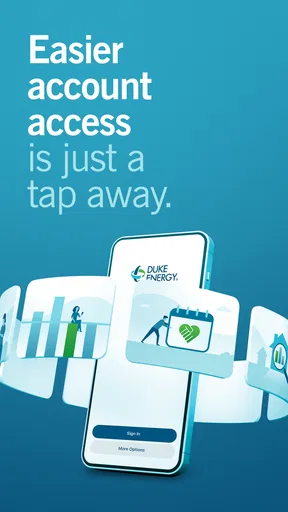
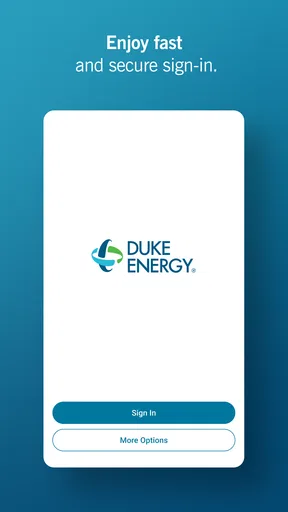
Getting started with the Duke Energy app is as easy as pie. You just download it from the App Store or Google Play, log in with your Duke Energy account, and you’re set. The interface is clean and intuitive, with a dashboard that gives you a quick overview of your energy usage, upcoming bills, and more.
The setup process is straightforward, and the app guides you through linking your account. If you’re like me and dread complex setups, you’ll appreciate how smooth this one is. Plus, everything is neatly organized, so you won't feel overwhelmed.
Why mobile account access helps
The everyday benefit is less about doing something complicated and more about removing a small obstacle. When a bill is on my mind, I can open the app and deal with it while I have a spare moment—during a lunch break, for instance, or after checking my calendar. That makes the phone a useful alternative to waiting until I’m home and sitting at a computer.
It can also help make bill-checking a habit. Rather than relying entirely on a reminder or an email buried in an inbox, I can choose to look at the account when it suits me. I would still keep my own calendar reminder if missing a due date would be a problem; an app is convenient, but it should not be the only part of a payment routine that I trust.
A sensible payment routine
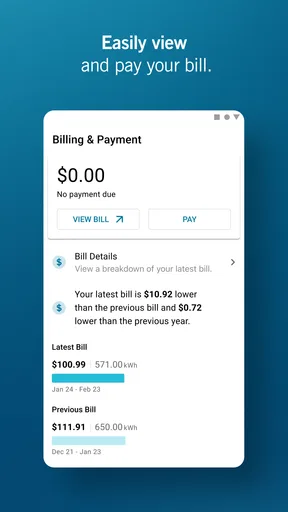
For a household that prefers to review charges before paying, the app’s account and billing tools make a phone-based check-in feel natural. I’d open it, look over the amount and timing, and then decide whether to pay right away or return to it later. That extra pause is useful: quick access should make a task easier, not encourage me to tap through a payment without checking what I’m approving.
Worth Reading Before You Choose

EA SPORTS FC Mobile 26 Is a Bigger Football Game, but It Takes Time

Flipboard Shows What News Apps Must Do Beyond the Feed

Switching to Android Auto Means Rethinking Your Driving Routine

Google Calendar Makes a Crowded Week Easier to Manage

Ludo King Makes the Most of the Minutes Between Plans

Baby Panda World Brings Quick Play to Modern Phones, but Its Game Library Feels Busy
Autopay suits a different kind of routine. It can reduce the chance that a busy week pushes a bill out of mind, but I would still review bills periodically rather than treating automatic payment as a reason to stop paying attention. The useful trade-off is convenience against oversight: people who want fewer manual steps may value autopay, while those who carefully manage cash flow may prefer to initiate each payment themselves.
Features That Shine
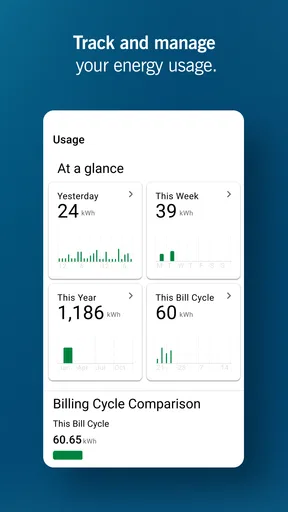
One of the features I absolutely love is the real-time energy usage tracker. It’s like having a spy on your own energy habits. You can see exactly how much energy you’re using at any given moment, which is super handy if you’re trying to cut down on your bills.
There’s also a detailed billing section where you can view your bill history, pay your bills directly through the app, and even set up autopay. It’s incredibly convenient, especially if you’re someone who tends to forget due dates (guilty as charged!).
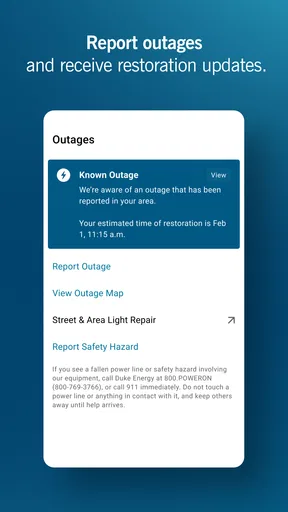
Another cool feature is the outage map. Trust me, there’s nothing worse than a surprise power outage. With this app, you get real-time updates on power outages in your area, including estimated restoration times. It’s a lifesaver during stormy weather!
Using energy information thoughtfully
Usage information is most helpful to me when I treat it as a way to ask better questions, not as an instant explanation for every change in a bill. If I notice a difference, I can think back to things that changed at home—more time indoors, different heating or cooling habits, or guests staying over—before deciding that one appliance or routine is responsible. That makes the tracker a prompt for investigation rather than a promise that it will diagnose the cause for me.
A practical approach is to check usage around a change I can control, then compare what I notice after adjusting that habit. For example, I might pay attention to a stretch when the household is home more often and be more deliberate about how long heating or cooling runs. I would avoid drawing firm conclusions from a single glance; patterns are more useful than reacting to one moment without context.
When an outage changes the plan
The outage map serves a different need from billing and usage: it is there for an unexpected disruption. If the lights go out, I’d use it as one place to check whether the issue appears to affect the surrounding area and to look for restoration information. That can help me decide whether to wait, make a backup plan, or check on someone who may need assistance.
I would not make the app my only preparation for severe weather. A phone battery can become precious during an outage, and account information cannot replace basic household planning. The app is most useful as a source to consult when the phone is available; keeping essential supplies and a separate way to contact people remains sensible regardless of what the screen says.
User Experience
Using the app feels seamless. The navigation is simple, and everything you need is just a tap away. I found the notifications really helpful—they alert you about your bill due dates, potential outages, and even tips on how to save energy.
One thing I noticed is that the app is quite responsive, with minimal lag time. It’s optimized well for both iOS and Android, which is a huge plus. No one likes an app that crashes or takes forever to load.
What to expect from the setup
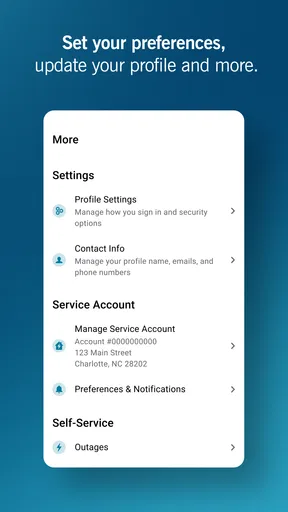
Because the app is tied to a utility account, the useful first step is having the account details you normally use to sign in ready before starting. I’d also make sure I’m setting it up for the correct household account, particularly if I help manage bills for more than one person. That little bit of preparation can prevent a convenient task from turning into a frustrating search for login information.
If someone else in the household handles payments, it is worth agreeing on who checks the bill and who acts on it. Easy mobile access can make account tasks more convenient, but it does not automatically coordinate responsibilities between people. A shared reminder or a clear division of duties can prevent duplicate effort or the assumption that someone else has already taken care of a payment.
Room for Improvement
While I’m a fan of what the app offers, there’s always room to grow. I found myself wishing there were more personalized tips based on my energy usage patterns. It would be great if the app could suggest tailored ways to save energy, like reminding me to turn off the lights when I leave a room.
Also, integration with smart home devices could elevate the user experience. Imagine if you could control your smart thermostat directly from the app? That would be a dream come true.
Where it fits among utility options
Compared with handling utility business through a desktop website, a phone app is better suited to quick checks and payments while I’m away from home. A website may feel more comfortable when I want to sit down and review an account at length, while the mobile option is appealing for shorter visits. Neither approach replaces the other; I’d choose based on whether I need convenience in the moment or a larger screen for a more deliberate review.
It also has a narrower purpose than a dedicated home-energy management setup. I would not choose a utility account app expecting it to become the central controller for smart devices, especially when the ability to control a thermostat is something I’d like to see improved. For Duke Energy customers, the value is in account access and utility-related information; people seeking device automation should look to the tools built for their particular home equipment instead.
Who will get the most from it
I’d recommend it most to people who already use Duke Energy and want a straightforward way to check their account, handle bills, and consult service information from a phone. It is especially handy for someone who travels, works away from home, or simply prefers to take care of small errands in short gaps in the day. The fact that the app is free lowers the barrier to trying that workflow, though the benefit still depends on being a Duke Energy customer.
It is less compelling for someone who rarely checks a utility account digitally, prefers to handle every bill through a bank’s own payment system, or expects advanced smart-home controls. A bank’s bill-payment tools may suit people who want all household payments in one place, while the utility app is the more direct choice when the account itself is what they need to inspect. I’d pick the option that makes me more likely to review the bill and pay it on time, rather than choosing based only on the number of apps on my phone.
Details for deciding whether to install
Duke Energy is a business app from Duke Energy, and it is free to install. It is rated for Everyone, so its stated audience is broad, although its practical usefulness is naturally tied to managing a Duke Energy account. The app first appeared on March 25, 2019, and version 7.6.0 is the current version. It requires Android 10 or later on Android devices.
Its average rating is 3.0 from around 6,500 ratings, with about 2,200 written reviews, and it has over 1 million installs. I take those figures as context rather than a guarantee of how it will work on a particular phone or account. Before relying on any utility app for a time-sensitive payment or outage check, I’d sign in, make sure the account is accessible, and learn where the essential sections are while everything is calm.
Final Thoughts
Overall, the Duke Energy app is a fantastic tool for anyone looking to manage their energy consumption more efficiently. It’s packed with useful features that make keeping track of your energy usage and bills a breeze. Sure, there are a few areas where it could improve, but it’s definitely a step in the right direction for energy management.
If you’re with Duke Energy and haven’t yet checked out their app, I highly recommend giving it a whirl. It’s a small download that could lead to big savings. And hey, who doesn’t like saving a bit of cash?
Pros
- User-friendly interface for seamless navigation.
- Real-time outage updates enhance reliability.
- Customizable alerts for billing and usage.
- Secure payment options for peace of mind.
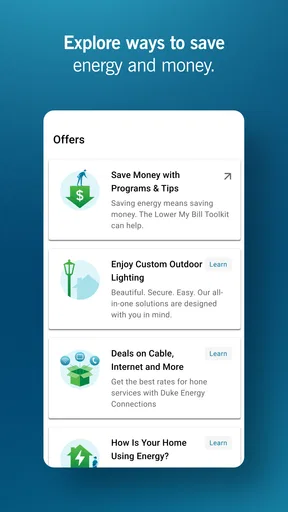
- Energy-saving tips promote efficiency.
Cons
- Limited functionality in offline mode.
- Occasional sync issues with account data.
- Customer support response can be slow.
- Push notifications can be overwhelming.
- Some features require frequent updates.
FAQs for Duke Energy
What is the Duke Energy app used for?
The Duke Energy app is designed to help users manage their energy consumption and bills more efficiently. It provides features like bill payment, usage tracking, and outage reporting. The app also offers personalized energy-saving tips and notifications about service interruptions, making it a comprehensive tool for all Duke Energy customers.
Is the Duke Energy app available for both Android and iOS devices?
Yes, the Duke Energy app is available for download on both Android and iOS platforms. Users can find it on the Google Play Store for Android devices and the Apple App Store for iOS devices, ensuring a seamless experience across different mobile operating systems.
Does the Duke Energy app offer real-time energy usage tracking?
While the Duke Energy app provides detailed insights into your energy usage, it may not offer real-time tracking for all users. The app typically updates usage information daily, allowing you to monitor your consumption patterns and make informed decisions to reduce energy usage and costs.
Can I report a power outage through the Duke Energy app?
Yes, the Duke Energy app allows you to report power outages directly from your mobile device. You can also receive updates on the status of the outage and estimated restoration times, ensuring you stay informed during service interruptions without needing to call customer support.
Is there a cost associated with using the Duke Energy app?
The Duke Energy app is free to download and use for all Duke Energy customers. There are no hidden fees or subscription costs associated with accessing the app’s features, making it a cost-effective tool for managing your energy account and usage efficiently.


